You are in a group chat and someone drops a link to a great article. You tap it, skim it, think "I want to come back to this." And then you close it.
Two days later you are scrolling through the chat trying to find it. Three hundred messages have passed. It is gone.
This is the standard Telegram link problem. Chats move fast. Good links get buried under reactions, voice notes, and unrelated conversation within hours.
Why Telegram Links Disappear
Telegram is great for communication. It is terrible for archiving.
There is no native way to tag a link, categorize it, or search across everything you have ever received. Saved Messages helps a little, but it is just another pile of unorganized content you will never look at again.
The average useful link has about 48 hours before it is practically irretrievable in an active chat.
The Fix: A Bot That Catches Everything
A Telegram bot changes this completely. When you see a link you want to keep, you forward it to the bot. That is the entire workflow.
No switching to another app. No copying and pasting into a notes document. No screenshot with the hope you will deal with it later. You see the link, you forward it, it is saved.
send/links has a Telegram bot built exactly for this. Forward any URL and it saves to your library immediately, with no setup beyond a one-time connection.
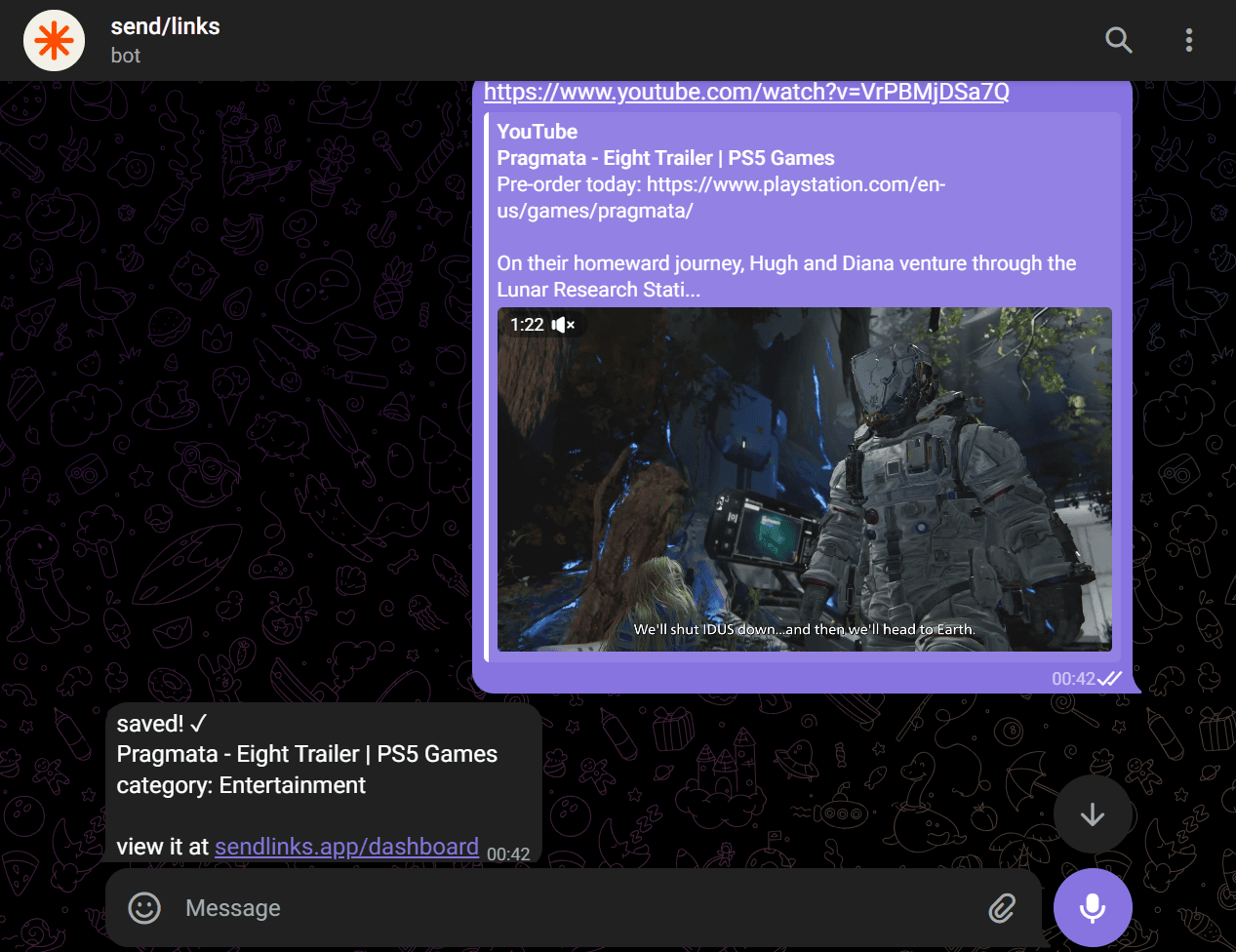
What Happens After You Save It
Most people stop at the "saved" step and end up with an unorganized dump of hundreds of URLs. send/links does the next part automatically.
Every link you save gets a title, description, category, and preview image pulled from the page itself. A tech article goes under Technology. A recipe goes under Food. A job posting goes under Career.
You never assign tags. The categorization happens in the background while you move on with your day.
Finding It Later
Three weeks later, you remember saving something about coffee brewing methods. You open send/links, click Food, and it is right there.
Or you search "coffee" and it surfaces instantly. Search works across titles, descriptions, and domains, not just exact URL strings.
This is what makes the difference between a link graveyard and a library you actually use.
Setting It Up
- Create a free account at sendlinks.app
- Go to your dashboard settings and find the Telegram connection
- Start a conversation with the bot and link your account
- Forward any URL to save it instantly
The first save takes under a minute to set up. Every save after that takes under two seconds.
Stop Losing Good Links
The links shared in Telegram are often the best ones, recommendations from people you trust, not algorithmic noise. They deserve better than getting buried in chat history.
Try send/links free and save your next Telegram link before it disappears.
If you want to go further, the send/links API lets you push links programmatically from any source, not just Telegram.